```html
How to Mathematically Place Your Router in the Perfect Location to Completely Eliminate Dead Zones and Signal Drops in Large Multi Story Houses
Let's be real. There's nothing quite as frustrating as stepping into a corner of your own home, phone in hand, only to watch your Wi-Fi signal drop faster than a hot potato. You've got a big house, maybe even several stories, and those annoying dead zones and signal drops feel like an unavoidable tax on your digital life. You’ve probably tried moving your router around, hoping for the best, but let’s be honest: that's often just guesswork.
Well, enough with the guesswork. Today, we're going to crack the code, not with a prayer and a wing, but with a scientific, almost mathematical approach to router placement. We’re talking about strategically positioning your Wi-Fi hub to blanket your entire multi-story dwelling in robust, reliable signal.
Why Your "Guesswork" Router Placement Just Isn't Cutting It
Think about your Wi-Fi signal like light. It travels outwards from its source, but it gets weaker the further it goes, and it struggles to pass through solid objects. Now, imagine trying to light up a sprawling, multi-level mansion with just one tiny light bulb shoved in a closet. Sounds absurd, right? Yet, that's often how we treat our routers.
The reality is, radio waves, which are what your Wi-Fi uses, encounter resistance. Every wall, every floor, every mirror, even certain types of furniture, acts like a mini-roadblock, absorbing or reflecting that precious signal. In a large, multi-story home, these obstacles multiply. A signal might make it through one wooden floor fairly well, but two concrete slabs and a reinforced wall? Forget about it.
Common router sins include tucking it behind a TV, shoving it in a corner on the ground floor, or hiding it away in a utility closet. These spots are convenience traps, not signal sanctuaries. They’re effectively putting your Wi-Fi in solitary confinement, ensuring large swathes of your home remain digital deserts.
The Math Behind the Magic: Understanding Signal Propagation
Now, don't worry, we're not pulling out calculus textbooks here. When we talk about "mathematically" placing your router, we're talking about a logical, calculated approach based on how radio waves actually behave. It's about understanding the principles, not necessarily crunching complex formulas yourself.
Friis Transmission Equation (Simplified Concept)
At its core, signal strength follows a basic principle: the further you are from the source, the weaker the signal. This is often described by the Friis Transmission Equation, which, boiled down, simply tells us that signal strength decreases with distance and increases with antenna power. What matters for us is understanding the key variables: the power your router transmits, how far that signal needs to travel, and crucially, what's in the way.
Attenuation and Obstacles – Your Wi-Fi's Arch-Nemesis
Every material your Wi-Fi signal passes through causes attenuation – a fancy word for signal loss. Some materials are worse than others. Drywall might cause a slight dip, but brick, concrete, thick plaster, and especially metal will gobble up your signal like it’s going out of style.
Floors in multi-story homes are particularly challenging. Modern houses often use concrete slabs between floors, which are notorious signal blockers. Even wood floors with wiring or ductwork can create significant dead zones. Understanding these antagonists is the first step in outsmarting them.
The Strategic Blueprint: Mapping Your Home's Wi-Fi Landscape
To truly conquer dead zones, you need a battle plan. This isn't just about moving the box; it's about understanding your home's unique layout and signal flow.
Step 1: The Floor Plan – Your Battle Map
Grab a pen and paper, or open up a simple drawing app. Draw out a rough floor plan of *each* story in your house. Mark where the crucial Wi-Fi-dependent activities happen: your home office, the living room where you stream 4K movies, the kids' bedrooms, that cozy reading nook, and even the patio. These are your "high-priority" zones.
Step 2: Identifying Problem Zones
Before you move anything, figure out where your current dead zones are. Download a Wi-Fi analyzer app (there are plenty of free ones for smartphones like NetSpot or Wi-Fi Analyzer). Walk through every room, taking readings of your signal strength (usually measured in dBm – closer to 0 is better, e.g., -40 dBm is excellent, -80 dBm is pretty terrible). Mark these low-signal areas directly onto your floor plan. This gives you a clear visual of where your network is currently failing.
Step 3: Calculating Centrality – The "Sweet Spot" Principle
Now, for the "mathematical" part of the placement. Your goal is to place the router as close to the *geographical and vertical center* of your home as possible. Imagine your router emitting a spherical bubble of Wi-Fi. You want that bubble to encompass your entire house evenly.
For a single-story home, this means finding the center point on your floor plan. For a multi-story house, it means not only the horizontal center but also the *vertical* center. If you have a three-story house, the middle floor (the second floor) is your prime candidate. This allows the signal to radiate both upwards and downwards, potentially bypassing some of the most stubborn floor attenuation.
Router Placement Strategies for Multi-Story Dwellings
With your floor plans marked and your central point identified, let’s get down to the nitty-gritty of physical placement.
The "Goldilocks Zone" – Vertical Placement is Key
As we just touched on, for multi-story homes, the middle floor is usually your best bet. If you have a two-story house, try to get the router up high on the first floor or lower on the second. The idea is to reduce the number of floors the signal has to penetrate to reach all areas. If your home has a basement and two main floors, the first floor might be the optimal spot, especially if the basement isn't a high-priority Wi-Fi zone.
Once you've chosen your floor, elevate the router. Don't put it on the floor. Get it up on a shelf, a desk, or even mount it high on a wall. The higher it is, the fewer immediate obstacles like furniture it has to contend with, and the more evenly it can broadcast its signal. Think high and open.
Minimizing Obstacles and Interference
Even in the perfect central spot, you need to be mindful of local obstructions. Keep your router away from large metal objects (filing cabinets, refrigerators), dense brick or stone fireplaces, and appliances that emit electromagnetic interference like microwaves or cordless phones. These can act like black holes for your Wi-Fi signal.
Aim for a clear line of sight, as much as possible, from your router to your high-priority zones. Every barrier reduces signal strength, so fewer barriers mean a stronger, more reliable connection.
Antenna Orientation Matters
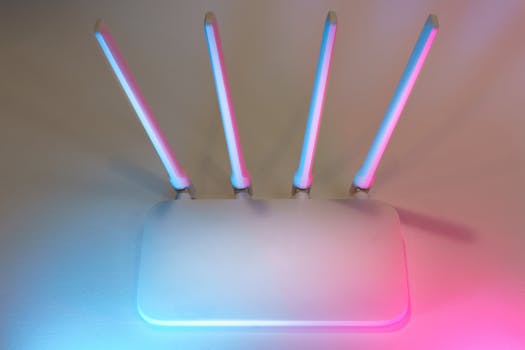
If your router has external antennas, their orientation can make a difference. A common recommendation is to position one antenna vertically and the other horizontally. This helps cover both horizontal and vertical signal dispersion, which is particularly beneficial in multi-story environments. If your antennas are internal, don't sweat it – the manufacturer has already optimized their placement.
The Reality Check: When One Router Isn't Enough (and What to Do)
Sometimes, even with the most mathematically precise placement, your large, multi-story home is just too big, or too full of signal-killing materials, for a single router to cover everything perfectly. That's when you need to bring in the reinforcements.
Mesh Wi-Fi Systems
For most modern, large homes, a mesh Wi-Fi system is the ultimate answer. Instead of one central router struggling to reach every corner, mesh systems use multiple "nodes" (router-like devices) that communicate with each other to create one seamless, robust Wi-Fi network. You place the main node at your calculated central point, and then strategically place the satellite nodes in areas that still need a boost, ensuring there's always an overlap in signal. It's like having multiple perfectly placed routers, all working in harmony.
Powerline Adapters
If extremely thick walls or floors are your primary problem, and running Ethernet cables isn't an option, powerline adapters can be a clever workaround. These devices use your home's electrical wiring to transmit network data. You plug one adapter into an outlet near your router, connect it via Ethernet, and then plug another adapter into an outlet in a dead zone. It essentially turns your electrical outlets into network ports.
Ethernet Backhaul
If you're serious about peak performance and have a mesh system, consider Ethernet backhaul. This means connecting your mesh nodes to each other (or to the main router) with an actual Ethernet cable. This creates an incredibly stable and fast connection between nodes, freeing up the Wi-Fi spectrum for your devices and delivering uncompromising speed to even the farthest reaches of your home. It’s the gold standard for large, complex networks.
Testing, Tweaking, and Fine-Tuning Your Network
Once you've made your calculated placement, your work isn't quite done. Think of it as a scientific experiment: you've set up your hypothesis, now you need to test it.
Go back to your Wi-Fi analyzer app. Walk through your home again, paying close attention to those former dead zones. Look for consistent signal strength readings of at least -60 dBm or better in all your high-priority areas. If you're still seeing dips, don't be afraid to make small adjustments. Moving the router a few feet, or changing the angle of an antenna, can sometimes make a surprising difference.
The process is iterative. Test, tweak, re-test. You're aiming for that sweet spot where every corner of your multi-story castle enjoys a strong, unwavering Wi-Fi signal.
You're now armed with the knowledge and the strategy to transform your home Wi-Fi from a frustrating game of hide-and-seek into a seamless, high-performance network. By understanding how signals travel, strategically mapping your home, and making informed placement decisions, you can finally banish those dead zones and signal drops for good. Enjoy a truly connected home, from the basement to the attic!
