From Sketch to Stock: Using Shutterstock AI to Transform Hand-Drawn Ideas into Photos
Ever had a brilliant idea for an image pop into your head, perhaps while doodling on a napkin during a meeting, only to realize the sheer effort it would take to bring that vision to life? You know, the perfect visual for your blog, a client presentation, or your next big marketing campaign. For many of us, that's where the dream often hits a wall.
Photography can be expensive, time-consuming, and let's face it, not everyone is a professional shutterbug. Stock photo libraries are fantastic, but sometimes, even with millions of options, nothing quite nails your unique concept. That's precisely where Shutterstock's AI image generation steps in, ready to revolutionize your creative process.
The Artist's Dilemma: Bridging the Gap from Idea to Image
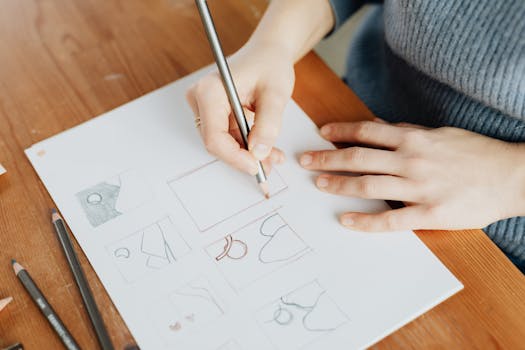
Picture this: you're brainstorming, and suddenly, a vivid scene unfolds in your mind's eye. Maybe it's a whimsical gnome tending a cybernetic garden, or a sleek, minimalist desk setup bathed in warm, futuristic light. You quickly sketch it out – a rough outline, a few key elements, a hint of the mood.
Traditionally, transforming that simple sketch into a high-quality, usable photograph was a formidable challenge. You'd either need to hire a photographer, learn complex 3D rendering software, or spend hours sifting through stock photos hoping for a miracle. Each option comes with its own set of hurdles, from budget constraints to artistic compromises.
This "gap" between raw idea and polished image has always been a significant bottleneck for creatives, small business owners, and marketers alike. It often means settling for "good enough" instead of truly "spot on." But what if there was a simpler way, a magic wand that could interpret your rough drawings and turn them into stunning digital assets?
Enter Shutterstock AI: Your New Creative Sidekick
Shutterstock AI isn't just another tech gimmick; it's a powerful ally designed to shatter those creative barriers. This innovative tool takes your basic concepts – whether they're scribbled sketches or descriptive text prompts – and, like a digital alchemist, transmutes them into breathtaking, high-resolution images ready for prime time.
It's essentially a creative co-pilot, making the previously impossible now incredibly accessible. No need for a studio, no fancy equipment, and certainly no art school degree required. Just your idea, a few guiding words, and a little help from artificial intelligence.
The brilliance lies in its ability to understand context and intent. You're not just inputting random words; you're communicating your vision, and the AI translates that into visual language. It's a game-changer for anyone who needs custom visuals but lacks the resources or time for traditional production methods.
A Step-by-Step Journey: Turning Your Doodles into Digital Gold
Ready to turn your napkin sketches into professional-grade stock photos? The process is surprisingly intuitive. It's less about mastering complex software and more about clear communication with your digital assistant. Think of it as painting with words and simple lines.
Here’s how you can take your hand-drawn masterpieces from concept to high-quality image:
- Access the Tool: First things first, head over to the Shutterstock AI image generator. You'll find a clean, user-friendly interface designed for creators of all stripes.
Step 1: Fueling the AI with Your Vision
You have two main avenues here. If you've got a sketch, fantastic! Upload it. Even a rough doodle can provide a solid foundation. The AI will analyze the shapes, composition, and basic elements. If a sketch isn't handy, don't sweat it. You can start with a powerful text prompt that describes your desired image in vivid detail. Think about the subject, style, mood, and any specific elements you want included. The more descriptive, the better.
- Upload Your Sketch: Grab a clear photo or scan of your hand-drawn idea. The AI uses this as a visual blueprint.
- Craft Your Text Prompt: This is where you add the magic. Describe what you want to see. For example: "A futuristic cityscape at sunset, neon lights reflecting on wet streets, flying cars, cyberpunk aesthetic, high detail."
Step 2: Guiding the Algorithm
Once your initial input is in place, you’ll start refining the output. The AI will generate a few initial variations based on your prompt. This is your chance to provide feedback and guide it towards your perfect image. Think about the style, the lighting, the color palette. Do you want it photorealistic? Cartoonish? A vintage vibe?
- Specify Style and Medium: Use keywords like "photorealistic," "oil painting," "digital art," "watercolor," "3D render," or "vector illustration."
- Refine Composition: Add details about angles (e.g., "overhead shot," "close-up"), focus (e.g., "bokeh background"), or even time of day ("golden hour," "midnight").
Step 3: Iterate and Innovate
The first attempt might be good, but don't stop there. This is where the iterative process shines. If you see something you like but want to tweak it, simply adjust your prompt or provide new instructions. The AI learns with each iteration, getting closer to your desired outcome. It’s like having an art director who never gets tired!
- Experiment with Prompts: Change a few words, add new descriptors, or remove elements that aren't working.
- Explore Variations: The tool will often provide multiple options. Don't be afraid to try different routes and see what emerges. You might stumble upon something even better than your original idea.
Step 4: From Canvas to Collection
Once you've got an image that makes your heart sing, it's yours to keep. Download it in high resolution, ready to be incorporated into your projects. These images are licensed for commercial use, so you're all set to hit the ground running with your new, custom-generated visual assets.
- Download High-Resolution Images: Get your final creations in top quality, perfect for print or digital.
- Integrate Seamlessly: Use them in your presentations, websites, social media, or marketing materials.
Why This Changes the Game for Creatives
The impact of Shutterstock AI on the creative landscape is profound. It's not just about convenience; it's about empowerment. For independent creators, small businesses, and even large agencies, this tool democratizes high-quality visual content.
No longer do you need to be a skilled photographer or a master of complex design software to bring unique visual ideas to fruition. The AI acts as your personal visual translator, bridging the technical skill gap. This means saving precious time and cutting down on expenses that would typically go into stock subscriptions or custom photoshoots. Imagine the bang for your buck you get by transforming a simple sketch into countless variations of a professional image. It really helps overcome those dreaded creative blocks, too, by offering a fresh perspective on your initial concepts.
Real-World Scenarios: Who Benefits Most?
The applications for this technology are broad, touching nearly every industry that relies on visual communication. It’s not just for professional artists; it’s for anyone with a story to tell or a product to promote.
Bloggers & Content Creators
Need an eye-catching header image for your latest blog post or a unique visual for a social media campaign? Instead of settling for generic stock, you can now generate a tailor-made image that perfectly encapsulates your content's message. It's about making your content truly stand out from the noise.
Small Business Owners
Creating professional marketing materials can be a huge hurdle for small businesses with limited budgets. With Shutterstock AI, you can generate unique images for your website, flyers, product mockups, and advertisements without breaking the bank. It helps you project a polished, professional brand image.
Graphic Designers
For designers, this tool is fantastic for rapid prototyping and concept generation. Quickly visualize different design ideas, color schemes, or stylistic approaches for client presentations. It’s a powerful aid for iterating through concepts and getting client buy-in faster than ever before.
Students & Educators
Looking for specific visual aids that textbook illustrations can't provide? Teachers and students can generate unique diagrams, historical scenes, or abstract concepts to make learning more engaging and impactful. It makes complex ideas much easier to grasp visually.
Looking Ahead: The Future is Sketchable
We're just scratching the surface of what AI can do for creativity. As these tools evolve, they will become even more intuitive, offering deeper customization and even more stunning results. The line between human creativity and AI assistance will continue to blur, opening up new frontiers for artistic expression and practical application.
The ability to translate a raw, hand-drawn idea into a polished, high-resolution photograph on demand is nothing short of revolutionary. It empowers creators to focus on the "what if" rather than the "how to," freeing up valuable time and resources for what truly matters: your vision.
So, next time you find yourself doodling an inspired visual, don't let it fade away on the back of an envelope. Harness the power of Shutterstock AI. Unleash your imagination, and watch your sketches transform into stunning digital realities. Go on, give it a try – your next great visual might just be a few prompts away!