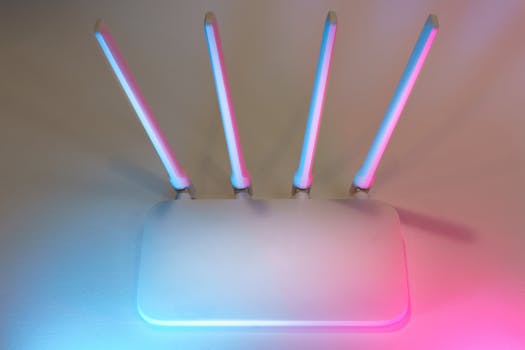
Router in the Wrong Spot? Try These 3 Placement Hacks That Instantly Boost Your WiFi Signal Without Buying Any Expensive Equipment.
Ever found yourself stuck in a WiFi dead zone, desperately trying to load a webpage, only to be met with that spinning wheel of doom? It’s a frustrating modern dilemma, right? We've all been there, wondering why our internet feels slower than a dial-up connection despite paying for blazing-fast speeds. Many folks immediately jump to blaming their internet service provider or considering an expensive new router. But hold your horses! More often than not, the culprit isn't your gear or your plan; it’s simply where your router is sitting.
You see, your WiFi signal is a lot like sound waves or light. It travels and interacts with its environment in predictable ways. If it’s placed poorly, even the best router in the world will struggle to get the signal where it needs to go. The good news? Fixing it doesn’t require a penny or any fancy tech know-how. We’re going to dive into three incredibly simple, yet powerfully effective, placement hacks that can seriously supercharge your home WiFi. Let's get that signal singing!
Hack #1: Go Central, Go High, Get Clear
Think of your router as the heart of your home's digital network. Just like a heart, it needs to be in a position where it can pump its energy—your WiFi signal—to every corner of the house. Unfortunately, most people tend to tuck their routers away in a dusty corner, often behind a couch or inside a cabinet. This is like trying to whisper across a crowded room from under a blanket. It just won’t work.
Elevate Your Router's Game
Here’s a simple truth: WiFi signals generally travel downwards more effectively than upwards. When your router is sitting on the floor, it’s fighting an uphill battle from the get-go. Instead, aim for elevation. Ideally, your router should be at least eye-level, if not higher.
* **Consider a bookshelf:** A high shelf is often an excellent spot.
* **Mount it:** If possible, a wall mount near the ceiling can work wonders, especially in multi-story homes.
* **Avoid floors:** Seriously, just get it off the ground. Even a few feet can make a noticeable difference.
Getting your router up high helps the signal spread more evenly throughout the space and reduces the chances of it being absorbed or blocked by furniture and other floor-level obstacles.
The Center Stage Advantage
Where in your home is the most central spot? That’s where your router should live. WiFi signals radiate outwards from the router in a spherical pattern, much like ripples in a pond. If you put your router in a far-flung corner of your house, you’re essentially wasting half of its broadcast potential on your neighbor’s yard or empty space.
By moving your router to a more central location, you ensure that the signal has a more even and direct path to all your devices. This minimizes the distance the signal has to travel to reach your furthest gadgets, which means a stronger, more reliable connection for everyone. It’s all about creating the shortest possible lines of sight.
Clear the Path for WiFi Bliss
Once your router is elevated and centrally located, take a moment to eyeball its surroundings. Are there any big, chunky obstacles directly in its path to your frequently used devices? Thick walls, especially those made of brick, concrete, or with metal studs, are notorious signal killers. Large appliances like refrigerators, washing machines, and even big metal filing cabinets can also act as shields, absorbing or reflecting your precious WiFi signal.
Try to ensure there's a clear line of sight, or as close to it as possible, between your router and the areas where you need the strongest connection. A few feet away from a major appliance can literally mean the difference between frustrating lag and seamless streaming. It's like clearing roadblocks for a race car; the smoother the path, the faster the ride.
Hack #2: Banish the Signal Killers
Beyond structural obstacles, your home is likely filled with invisible enemies silently sabotaging your WiFi signal. These are everyday household electronics and even some decor items that emit electromagnetic interference or simply absorb radio waves. Identifying and relocating them can lead to a significant boost in performance.
Identify and Evict Interference Magnets
Believe it or not, many of your beloved gadgets are waging an unseen war against your WiFi. Devices that operate on similar 2.4 GHz frequencies can cause significant interference. This includes:
* **Microwave ovens:** A notorious signal jammer when in use.
* **Cordless phones:** Especially older models that use the 2.4 GHz band.
* **Baby monitors:** Many also use the 2.4 GHz frequency.
* **Bluetooth devices:** Speakers, headphones, and keyboards can all contribute.
* **Fluorescent lights and dimmer switches:** These can create electrical noise.
The solution is simple: create some distance. Try to keep your router at least 10-15 feet away from these potential culprits. If your WiFi speed mysteriously drops every time you heat up a snack, you know what’s going on! This hack costs nothing but a bit of shuffling, and the payoff can be huge.
The Metal Menace
Metal is the arch-nemesis of WiFi signals. It's fantastic at reflecting and absorbing radio waves, turning your signal into Swiss cheese. Think about large metal objects in your home:
* **Filing cabinets:** If your router is near one, it’s a problem.
* **Large mirrors:** The metallic backing can reflect signals away.
* **Water heaters or large pipes:** Water is also surprisingly good at absorbing WiFi signals, and metal pipes only make it worse.
* **Even fish tanks:** A large volume of water can act like a giant sponge for your WiFi.
If your router is nestled beside a metal bookshelf or directly behind a huge mirror, you're essentially putting it in a Faraday cage. Repositioning your router to avoid these metallic obstacles, or moving the obstacles themselves, will give your signal a much clearer path to your devices. This might seem like a small detail, but these "hidden" signal blockers can seriously dampen your internet experience.
Hack #3: Mind the Antennas, Maximize the Reach
Most modern routers come with external antennas, and while they might look like mere decoration, they play a crucial role in how your signal is broadcast. Many people just leave them pointing straight up, but with a little strategic adjustment, you can fine-tune your signal for optimal coverage.
Antenna Alignment: It's Not Just for Show
Think about how antennas actually work. If you have multiple antennas, they’re designed to send signals in different directions. For a typical home, you want to cover both horizontal (across the room) and vertical (between floors) spaces.
* **For horizontal coverage:** Point one antenna straight up. This helps the signal spread out broadly across a single floor.
* **For vertical coverage:** Point another antenna sideways, horizontally. This can help penetrate floors and ceilings more effectively, which is a lifesaver in multi-story homes.
If your router only has two antennas, try the "one up, one sideways" trick. If it has three or more, you can experiment with different angles. There's no single perfect configuration for every home, so don't be afraid to tinker a bit. A small tweak to an antenna can make a surprising difference in a tricky corner of your house. It’s all about finding that sweet spot through good old trial and error.
The DIY Reflector Trick
This one might sound a bit like old wives’ tale, but it’s backed by science. For those really stubborn dead zones, you can create a simple, directional signal reflector using a common household item: aluminum foil. No need to buy anything special!
* **How it works:** By shaping a piece of aluminum foil into a parabolic curve (think of a Pringle's can cut in half lengthwise, or just a simple C-shape), you can place it behind your router's antennas.
* **Direct the signal:** The foil acts like a mini-satellite dish, reflecting the signal that would normally go in one direction and pushing it more forcefully in the desired direction.
This is particularly useful if your router is near an exterior wall and you're "wasting" signal broadcasting it outside. You can essentially "push" that signal back into your home, towards a specific room that needs a boost. Just play around with the angle until you notice an improvement. It’s a cheap, cheerful, and surprisingly effective way to get more bang for your router’s buck.
There you have it. Three simple, free, and incredibly effective hacks to improve your home WiFi signal. You don't need to spend a dime on new equipment or call in an IT professional. Often, the solution to your frustratingly slow internet is just a matter of moving your existing router a few feet, adjusting an antenna, or clearing its path. So, go on, give these hacks a try! You might be amazed at the difference a little strategic placement can make. Happy browsing!
