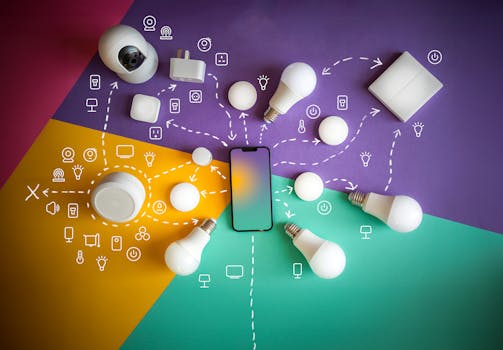
How to Correctly Configure VLAN Tagging and Network Segmentation to Significantly Improve Wireless Speed for All Your IoT Devices
Let's face it, our homes are getting smarter every single day. From light bulbs that respond to your voice to refrigerators that tell you when you're low on milk, our IoT devices are truly everywhere. But sometimes, all this smart convenience can come at a cost: a sluggish Wi-Fi network that feels like it's perpetually stuck in the slow lane.
If your network speed has been acting like a sleepy sloth, especially with a growing number of smart gadgets, chances are your network is crying out for some organization. This isn't just about throwing more bandwidth at the problem; it's about smarter traffic management. Today, we're going to dive deep into a proven strategy that can supercharge your wireless speed and tighten your security: VLAN tagging and network segmentation.
We're talking about making your Wi-Fi not just faster, but also more stable and secure, without breaking the bank on new hardware. It's a game-changer, and it's probably easier than you think.
Why Your IoT Devices Are Dragging Down Your Wi-Fi
Think of your home network as a bustling highway. When every single car, truck, and motorcycle – in this case, every device from your laptop to your smart doorbell – is crammed onto the same few lanes, what happens? Gridlock, pure and simple.
Your IoT devices, while convenient, can be incredibly "chatty." Many of them constantly communicate with cloud services, check for updates, or send small packets of data. Individually, it's not much, but collectively, it creates a significant amount of network chatter.
This constant back-and-forth can clog up your wireless airwaves and your router's processing power. It forces your more demanding devices, like your streaming TV or gaming console, to compete for bandwidth. Suddenly, that seamless 4K stream starts buffering, and your online game lags like crazy. It's a real headache, and it often feels unavoidable.
Enter VLANs: Your Secret Weapon for Network Harmony
So, how do we solve this traffic jam without building entirely new roads? The answer lies in something called Virtual Local Area Networks, or VLANs. Think of VLANs as creating separate, dedicated express lanes on your existing highway. Each lane is for a specific type of traffic, and they can all run on the same physical infrastructure without interfering with each other.
Essentially, a VLAN allows you to segment a single physical network into multiple logical networks. Devices on one VLAN can't "see" or directly communicate with devices on another VLAN unless you specifically allow it. It's like having multiple independent networks coexisting on the same switch and access points.
This magical separation is achieved through VLAN tagging. When a network packet leaves a device, a small "tag" is added to it, indicating which VLAN it belongs to. Your managed switch or router then uses this tag to ensure the packet only travels down its designated lane. It's pretty neat, right?
The Core Benefits You'll Notice Immediately
Once you've implemented VLANs, the changes will be palpable. You'll likely see improvements across the board, not just in speed but in overall network health.
* Significantly Improved Speed: By isolating chatty IoT devices, your main network experiences less congestion. This frees up precious bandwidth and processing power for your laptops, phones, and media streamers, giving them the smooth, fast connection they deserve. No more fighting for airtime!
* Enhanced Security Posture: This is a big one. If one of your less-secure IoT devices (and many are) gets compromised, the attacker is isolated within that specific VLAN. They can't easily jump over to your main network where your sensitive data resides. It's like putting your risky assets in a separate, locked room.
* Better Network Management: Organizing devices into logical groups makes managing and troubleshooting your network a breeze. Need to update all your smart bulbs? You know exactly where to look. Want to block internet access for guest devices after a certain time? Piece of cake.
* Reduced Network Noise: Less unnecessary broadcast traffic bouncing around means a cleaner, more efficient network environment. Everything just runs smoother, like a well-oiled machine.
Getting Down to Business: Planning Your Network Segmentation
Before you dive headfirst into configuring anything, take a moment to plan. This isn't just about pressing buttons; it's about strategic thinking. A little foresight here will save you a lot of headaches later.
Start by identifying the different types of devices on your network. Who uses them? What's their purpose? How critical are they? Asking these questions helps you decide how to group them logically.
For most homes, the obvious candidates for segmentation are your IoT devices. These often have different security profiles and usage patterns compared to your primary computers or smartphones. Guests are another prime example – you want to give them internet access without exposing your internal network.
A Common-Sense Approach to VLAN Grouping
You don't need a dozen VLANs to start. A few well-chosen segments can make a world of difference. Here are some typical groupings that work wonders for home and small office environments:
* Main/Trusted Devices VLAN (VLAN 1, often default): This is for your primary computers, laptops, smartphones, and anything you consider highly secure and needs full network access. Think of it as your inner sanctum.
* IoT VLAN (e.g., VLAN 10): Dedicate this to all your smart home gadgets – cameras, smart plugs, thermostats, robot vacuums, light bulbs, etc. Give them internet access but restrict their ability to talk to your main devices.
* Guest VLAN (e.g., VLAN 20): This is for visitors. Provide them with internet access, but completely isolate them from everything else on your network. They can't access your printers, network drives, or other devices.
* Streaming/Entertainment VLAN (e.g., VLAN 30): For devices like smart TVs, Apple TVs, Rokus, and gaming consoles. Sometimes beneficial to isolate for QoS or specific routing needs, although often they can live on the Main VLAN if you prefer.
The key is to create boundaries where they make sense for security and performance. Don't overcomplicate it if you don't need to.
The Nitty-Gritty: Configuring VLAN Tagging Step-by-Step
Alright, it's time to roll up our sleeves. For this process, you'll need a few things: a managed network switch (if you have wired devices to segment), a router or firewall that supports VLANs, and wireless access points (APs) that can broadcast multiple SSIDs with VLAN tagging. Many modern consumer mesh systems and prosumer routers now offer this functionality.
Let's walk through the general steps. Keep in mind that specific menus and terms might vary slightly depending on your hardware brand (e.g., Ubiquiti, TP-Link Omada, Netgear, Cisco).
Step 1: Access Your Router/Switch Interface
Log into the web-based management interface of your router and/or managed switch. You'll typically do this by typing its IP address into a web browser. Make sure you have the administrator credentials handy.
Look for sections related to "VLAN," "Network," "Advanced Settings," or "Switching." This is where the magic happens.
Step 2: Create Your VLANs
In your router or switch interface, you'll usually find an option to "Add New VLAN" or "VLAN Configuration." This is where you'll define the virtual networks.
* Assign a unique VLAN ID: This is a number between 1 and 4094. We often use 10 for IoT, 20 for Guest, etc. (VLAN 1 is usually the default untagged network).
* Give it a descriptive name: "IoT_Devices," "Guest_WiFi," "Home_Main" – whatever helps you remember its purpose.
Repeat this process for each VLAN you've planned out.
Step 3: Assign Ports to VLANs (for Wired Devices)
If you have devices connected via Ethernet cables that you want to segment (e.g., a smart hub, an NAS, or an office PC), you'll need to configure the switch ports.
* Untagged Port (Access Port): For end devices that aren't VLAN-aware (like most IoT gadgets or a regular PC). This port is assigned to a single VLAN, and any traffic leaving it won't have a VLAN tag. The switch handles adding/removing the tag. You'll set its PVID (Port VLAN ID) to the VLAN ID you want the device to belong to.
* Tagged Port (Trunk Port): For connections between your managed switch and your router/AP. This port carries traffic for multiple VLANs, with each packet tagged with its respective VLAN ID. You'll set it to "allow all" or "allow specific" VLANs.
Carefully consider which ports should carry which VLANs. Making a mistake here can disrupt connectivity.
Step 4: Configure Your Wireless Access Points
This is where your wireless IoT devices get assigned to their respective VLANs. Many modern APs allow you to map an SSID (your Wi-Fi network name) to a specific VLAN.
* Create a new SSID for your IoT devices: Something like "MyHome_IoT."
* Map this SSID to your IoT VLAN ID: For example, map "MyHome_IoT" to VLAN 10.
* Create a Guest SSID: For example, "Guest_WiFi_Free."
* Map this Guest SSID to your Guest VLAN ID: For example, map "Guest_WiFi_Free" to VLAN 20.
* Your main Wi-Fi (e.g., "MyHome_WiFi") will typically remain on your Main/Trusted VLAN (often VLAN 1).
When a device connects to "MyHome_IoT," its traffic will automatically be tagged with VLAN 10, ensuring it stays in its designated lane.
Step 5: Implement Inter-VLAN Routing and Firewall Rules (If Needed)
Remember, by default, VLANs are isolated. Devices on VLAN 10 (IoT) can't talk to devices on VLAN 1 (Main). This is great for security!
However, sometimes you *do* need limited communication. Maybe your phone on the Main VLAN needs to control a smart plug on the IoT VLAN. This is where your router/firewall comes in.
* You'll need to enable inter-VLAN routing on your router.
* Then, you'll create firewall rules to specifically allow or deny traffic between VLANs. For instance, "Allow Main VLAN to IoT VLAN on port 80/443 (HTTP/S)" but "Deny IoT VLAN to Main VLAN." Be as granular as possible for optimal security.
For guest networks, you'll want to ensure absolute isolation. No access to other VLANs at all.
Step 6: Test, Test, and Test Again
Once everything is configured, don't just assume it works. Test it thoroughly!
* Connect an IoT device to your new IoT SSID. Can it access the internet? Does your control app work?
* Connect your phone to your main Wi-Fi. Can you still access everything you need?
* Connect a guest device to your guest Wi-Fi. Can it reach the internet? Can it *not* reach your printer or NAS?
* Verify speeds on both your main network and your segmented networks. Are they improved?
This testing phase is crucial for ironing out any kinks and ensuring your network operates exactly as intended. It's better to find issues now than when you're trying to stream your favorite show.
Advanced Tips and Tricks for a Rock-Solid Setup
You've done the heavy lifting, but a few extra steps can really solidify your segmented network.
Consider implementing Quality of Service (QoS) on your router. This allows you to prioritize certain types of traffic or specific devices. For example, you might prioritize streaming video traffic over background IoT chatter, even within their respective VLANs, ensuring a butter-smooth entertainment experience.
Always keep your router, switch, and access point firmware up to date. Manufacturers often release updates that improve security, fix bugs, and sometimes even boost performance. Don't skip these.
Finally, consider using network monitoring tools if your hardware supports them. These can give you insights into traffic patterns, device activity, and potential issues, helping you maintain a healthy network in the long run.
Unleash Your Network's Full Potential
Implementing VLAN tagging and network segmentation might seem a bit daunting at first, but trust me, the benefits are well worth the effort. You're not just improving wireless speed; you're building a more secure, stable, and manageable network environment for all your devices, smart or otherwise.
By creating those dedicated express lanes for your chatty IoT gadgets, you're ensuring your main devices have the clear path they need to perform at their best. It's a fundamental step towards a truly robust and future-proof home network. So, take the plunge, get things organized, and enjoy the blissful speed and security that comes with it. Your smart home, and your sanity, will thank you.


